


Before jumping into this article please take a look at the following Cloudflare ruleset and think for a while what is wrong with it?
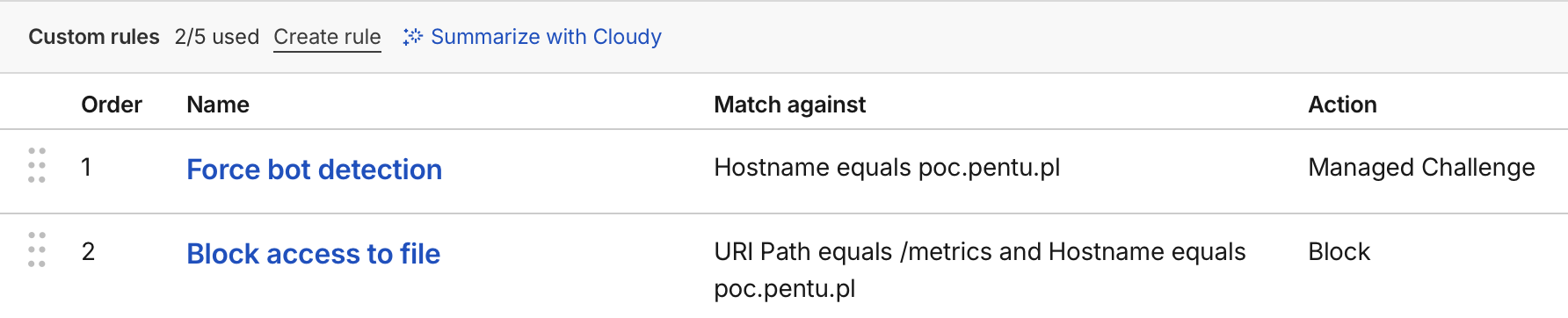
I set up above rules and thought they would work like the following:
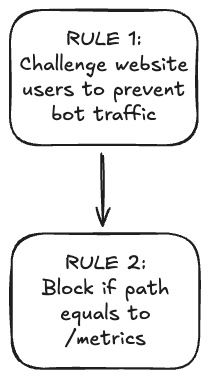
From the first glance it seems perfectly fine. Website administrator wants to challenge users opening the website to prevent bot traffic. Additionally he specifies a rule that blocks access to /metrics endpoint to prevent unauthorized access to Prometheus metrics. I was surprised when I enabled both rules and the this happened:
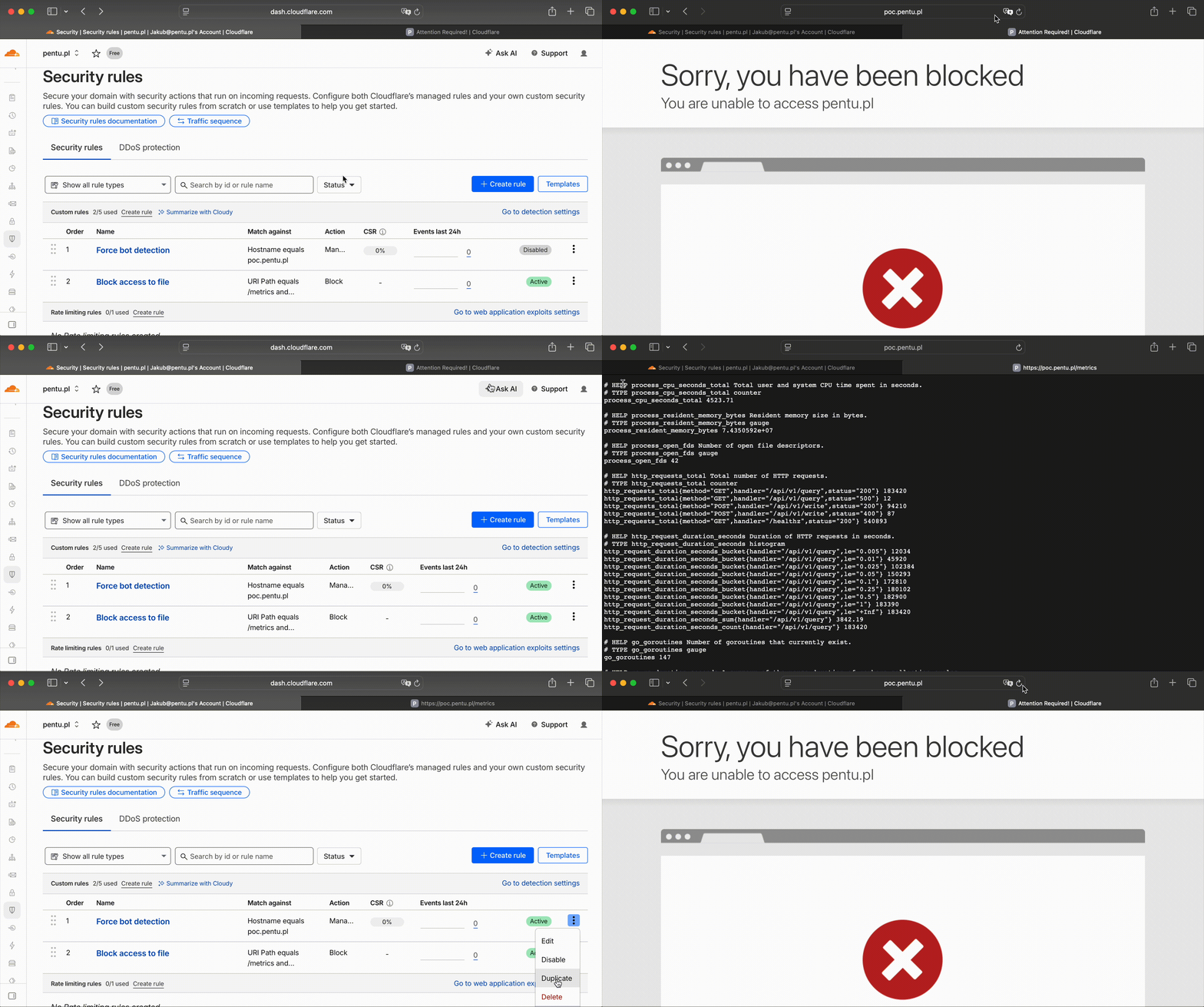
What is going on here?! The Block rule was never executed and anyone could access my precious /metrics endpoint! Let me explain what is going on. Cloudflare rules language consists of several Actions. Action is a result of a matching rule. As for now, for custom security rules the following actions are allowed:
- Interactive Challenge
- JS Challenge
- Managed Challenge
- Block
- Skip
- Log
- Execute
- Rewrite
- Redirect
- Route
- Set Configuration
- Compress Response
- Set Cache Settings
- Serve Error
- Log custom field
Some actions however are Terminating Actions. Terminating action will stop the evaluation of the remaining rules. This means that any rules, that are ordered AFTER a terminating action, will not be evaluated if the Terminating Action is executed. Cloudflare recognizes the following Terminating Actions:
- Interactive Challenge
- JS Challenge
- Managed Challenge
- Block
- Redirect
- Serve Error
- Log custom field
This behavior is especially important when configuring Block rules that have real security impact. If a rule that restricts access to a resource is placed AFTER i.e. JS Challenge action, it can be easily bypassed when a client completes the challenge and gets cf_clearance cookie assigned. With this cookie, Cloudflare automatically clears request of any challenge rules meaning rule evaluation will be terminated.
To sum up, to securely configure Cloudflare custom security rules, they should be grouped by resulting action and placed in the following order:
- Skip - Whitelist trusted IPs/services,
- Block - Most restrictive rules, cannot be bypassed,
- Log - Capture traffic before modifications,
- Redirect - URL redirections,
- Serve Error - Custom error pages,
- Execute - Transformation rules,
- Rewrite - Transformation rules,
- Route - Transformation rules,
- Set Configuration - Configuration rules,
- Compress Response - Performance rules,
- Set Cache Settings - Caching rules,
- Log custom field - Custom logging,
- Interactive Challenge - Challenge suspicious traffic,
- JS Challenge - Challenge suspicious traffic,
- Managed Challenge - Challenge suspicious traffic
Exploitability
And what about exploitability? Unfortunatelly, I was not able to confirm that this issue is exploitable at scale which can mean two things. Either my testing methodology (fuzzing with cf_clearance cookie) was badly adjusted for this research, or this type of misconfigurations are very uncommon, and hard to detect in blackbox scenario.
In other way this seems to be intended behavior even though Cloudflare dashboard is straight lying to you by saying that Block rule will execute after Challenge action:
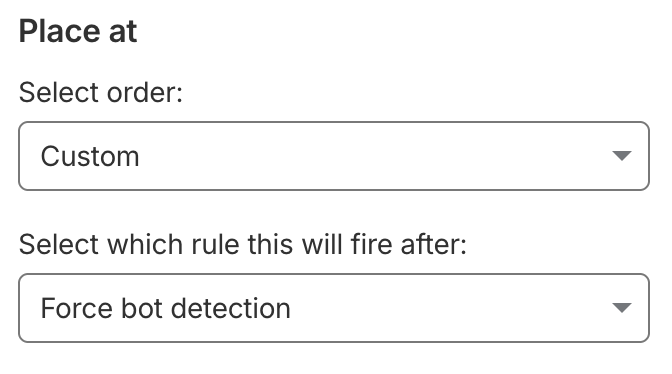 Above statement is not true, as the rule will never be evaluated after “Force bot detection” rule.
It was also funny to discover this exact issue discussed on serverfault.com forum some years ago. Looks like people had already problems understanding Cloudflare security rules a while ago.
References:
https://developers.cloudflare.com/ruleset-engine/rules-language/actions/ https://serverfault.com/questions/1059124/how-does-cloudflare-firwall-rules-order-work